Advanced
Zone Editor
Edit your entire DNS zone as JSON for maximum flexibility. Perfect for complex geo-routing configurations, bulk changes and advanced record management.
On this page8 sections
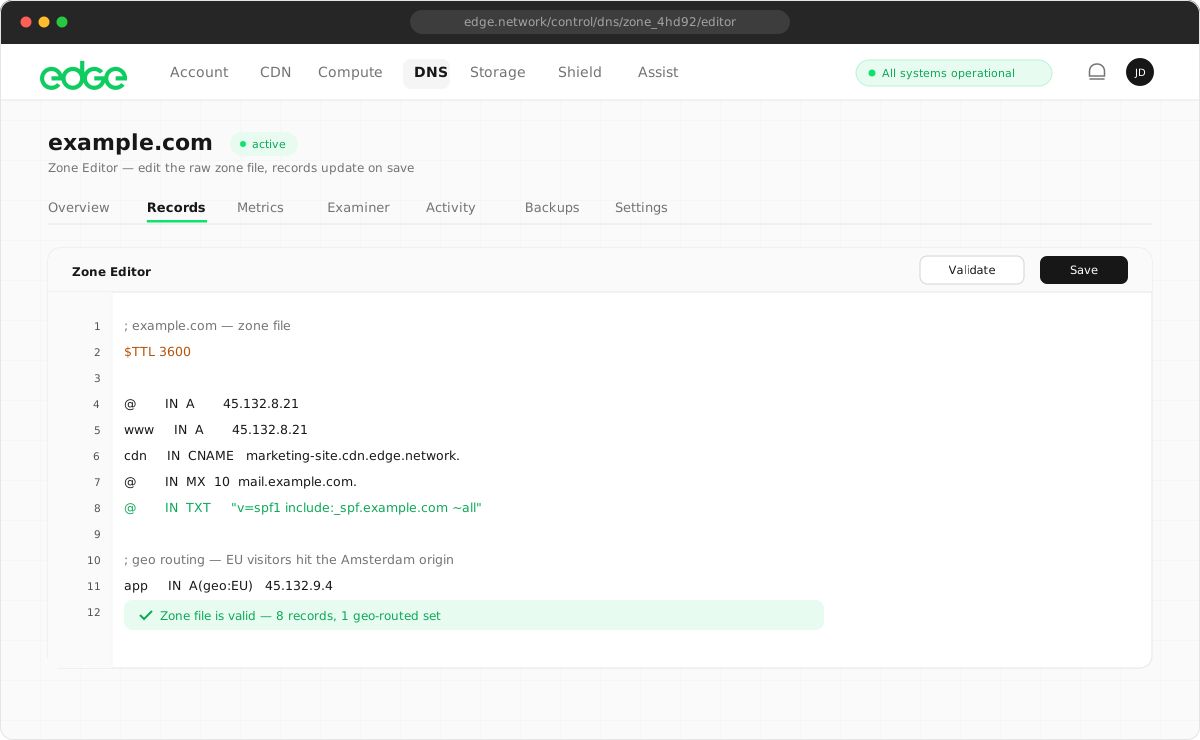
Accessing the Zone Editor#
There are two ways to use advanced JSON editing:
- Per-record advanced mode: switch to the Advanced tab when adding or editing a single record to see and edit its full JSON representation, including geo routing. The Advanced tab is available in any record modal.
- Full Zone Editor: toggle between Table and JSON view to edit all records at once. Ideal for bulk operations and complex configurations. Use the Table/JSON toggle in the Records page header.
Zone file format#
The zone file is a JSON object where keys are record types and values are arrays of records:
{
  "SOA": [{
    "name": "@",
    "ttl": 3600,
    "mname": "ns1-abc123.edge.network.",
    "rname": "hostmaster.example.com.",
    "refresh": 3600,
    "retry": 900,
    "expire": 604800,
    "minimum": 300
  }],
  "NS": [
    { "name": "@", "data": "ns1-abc123.edge.network.", "ttl": 3600 },
    { "name": "@", "data": "ns2-abc123.edge.network.", "ttl": 3600 }
  ],
  "A": [
    { "name": "@", "data": "185.1.1.1", "ttl": 300 },
    { "name": "www", "data": "185.1.1.1", "ttl": 300 },
    { "name": "api", "data": "185.1.1.2", "ttl": 60 }
  ],
  "AAAA": [
    { "name": "@", "data": "2001:db8::1", "ttl": 300 }
  ],
  "CNAME": [
    { "name": "blog", "data": "www.example.com.", "ttl": 3600 }
  ],
  "MX": [
    { "name": "@", "data": "mail.example.com.", "ttl": 3600, "priority": 10 }
  ],
  "TXT": [
    { "name": "@", "data": "v=spf1 include:_spf.google.com ~all", "ttl": 3600 }
  ]
}Record types reference#
SOA record (auto-managed)#
Start of Authority. Defines zone parameters.
{
  "name": "@",
  "ttl": 3600,
  "mname": "ns1-abc123.edge.network.",
  "rname": "hostmaster.example.com.",
  "refresh": 3600,
  "retry": 900,
  "expire": 604800,
  "minimum": 300
}A record#
Maps a domain to an IPv4 address.
{
  "name": "@",
  "data": "185.1.1.1",
  "ttl": 300,
  "geo": {
    "EU": "185.2.2.2",
    "US": "185.3.3.3",
    "AS": "185.4.4.4"
  }
}
geo is optional. See Geographic routing.
AAAA record#
Maps a domain to an IPv6 address.
{
  "name": "@",
  "data": "2001:db8::1",
  "ttl": 300,
  "geo": {
    "EU": "2001:db8::2"
  }
}
CNAME record#
Creates an alias pointing to another domain.
{
  "name": "www",
  "data": "example.com.",
  "ttl": 3600,
  "geo": {
    "US": "us.example.com.",
    "EU": "eu.example.com."
  }
}ALIAS record#
CNAME-like functionality at the zone apex.
{
  "name": "@",
  "data": "loadbalancer.edge.network.",
  "ttl": 300
}
ALIAS records resolve the target hostname and return A/AAAA records.
MX record#
Specifies mail servers for the domain.
{
  "name": "@",
  "data": "aspmx.l.google.com.",
  "ttl": 3600,
  "priority": 1
}
priority is required. Lower values mean higher priority.
Multiple MX records for redundancy:
"MX": [
  { "name": "@", "data": "aspmx.l.google.com.", "ttl": 3600, "priority": 1 },
  { "name": "@", "data": "alt1.aspmx.l.google.com.", "ttl": 3600, "priority": 5 },
  { "name": "@", "data": "alt2.aspmx.l.google.com.", "ttl": 3600, "priority": 5 },
  { "name": "@", "data": "alt3.aspmx.l.google.com.", "ttl": 3600, "priority": 10 },
  { "name": "@", "data": "alt4.aspmx.l.google.com.", "ttl": 3600, "priority": 10 }
]
TXT record#
Stores text data for various purposes (SPF, DKIM, verification).
{
  "name": "@",
  "data": "v=spf1 include:_spf.google.com ~all",
  "ttl": 3600
}
For long TXT records (like DKIM), use an array:
{
  "name": "google._domainkey",
  "data": [
    "v=DKIM1; k=rsa; p=MIIBIjANBgkqhkiG9w0BAQEFAAOCAQ8AMIIBCgKCAQEA...",
    "...continuation of long key..."
  ],
  "ttl": 3600
}
Array values are automatically joined for DNS responses.
NS record#
Delegates a subdomain to other nameservers.
Apex NS records (at @) are auto-managed by Edge DNS based on your account’s assigned nameservers.
Subdomain delegation. Use NS records to delegate subdomains to other providers:
{
  "name": "subdomain",
  "data": "ns1.otherprovider.com.",
  "ttl": 3600
}
Add multiple NS records for the same subdomain for redundancy.
CAA record#
Specifies which certificate authorities can issue certificates.
{
  "name": "@",
  "data": "0 issue letsencrypt.org",
  "ttl": 3600
}
Format: <flags> <tag> <value>. Tags: issue, issuewild, iodef.
Common CAA configurations:
"CAA": [
  { "name": "@", "data": "0 issue letsencrypt.org", "ttl": 3600 },
  { "name": "@", "data": "0 issuewild letsencrypt.org", "ttl": 3600 },
  { "name": "@", "data": "0 iodef mailto:ssl@example.com", "ttl": 3600 }
]
SRV record#
Specifies service locations (used for SIP, XMPP, etc.).
{
  "name": "_sip._tcp",
  "data": "10 5 5060 sipserver.example.com.",
  "ttl": 3600
}
Format: <priority> <weight> <port> <target>.
PTR record#
Reverse DNS lookup (IP to hostname).
{
  "name": "1",
  "data": "server1.example.com.",
  "ttl": 3600
}
Used in reverse DNS zones like 1.168.192.in-addr.arpa.
Complex geographic routing#
The Zone Editor makes it easy to configure complex geo routing scenarios.
Global CDN with regional endpoints#
{
  "A": [
    {
      "name": "cdn",
      "data": "185.1.1.1",
      "ttl": 60,
      "geo": {
        "NA": "185.2.2.2",
        "US-WEST": "185.2.2.10",
        "US-EAST": "185.2.2.11",
        "CA": "185.2.2.12",
        "EU": "185.3.3.3",
        "GB": "185.3.3.10",
        "DE": "185.3.3.11",
        "NL": "185.3.3.12",
        "AS": "185.4.4.4",
        "JP": "185.4.4.10",
        "SG": "185.4.4.11",
        "IN": "185.4.4.12",
        "OC": "185.5.5.5",
        "AU": "185.5.5.10"
      }
    }
  ]
}
API with failover by region#
{
  "A": [
    {
      "name": "api",
      "data": "10.0.0.1",
      "ttl": 300,
      "geo": {
        "US": "10.0.1.1",
        "EU": "10.0.2.1",
        "AS": "10.0.3.1"
      }
    },
    {
      "name": "api",
      "data": "10.0.0.2",
      "ttl": 300,
      "geo": {
        "US": "10.0.1.2",
        "EU": "10.0.2.2",
        "AS": "10.0.3.2"
      }
    }
  ]
}
Multiple A records with the same name provide round-robin load balancing per region.
Regional CNAME aliases#
{
  "CNAME": [
    {
      "name": "www",
      "data": "global.example.com.",
      "ttl": 300,
      "geo": {
        "US": "us.example.com.",
        "EU": "eu.example.com.",
        "AS": "asia.example.com."
      }
    }
  ]
}
Complete zone example#
Here’s a complete zone configuration as shown in the Zone Editor. SOA and apex NS records are displayed for reference but managed automatically:
{
  "SOA": [{
    "name": "@",
    "ttl": 3600,
    "mname": "ns1-abc123.edge.network.",
    "rname": "hostmaster.example.com.",
    "refresh": 3600,
    "retry": 900,
    "expire": 604800,
    "minimum": 300
  }],
  "NS": [
    { "name": "@", "data": "ns1-abc123.edge.network.", "ttl": 3600 },
    { "name": "@", "data": "ns2-abc123.edge.network.", "ttl": 3600 },
    { "name": "subdomain", "data": "ns1.otherprovider.com.", "ttl": 86400 },
    { "name": "subdomain", "data": "ns2.otherprovider.com.", "ttl": 86400 }
  ],
  "A": [
    {
      "name": "@",
      "data": "185.1.1.1",
      "ttl": 300,
      "geo": {
        "EU": "185.2.2.2",
        "US": "185.3.3.3"
      }
    },
    { "name": "www", "data": "185.1.1.1", "ttl": 300 },
    { "name": "mail", "data": "185.1.1.10", "ttl": 3600 },
    { "name": "api", "data": "185.1.1.20", "ttl": 60 }
  ],
  "AAAA": [
    { "name": "@", "data": "2001:db8::1", "ttl": 300 },
    { "name": "www", "data": "2001:db8::1", "ttl": 300 }
  ],
  "CNAME": [
    { "name": "blog", "data": "www.example.com.", "ttl": 3600 },
    { "name": "docs", "data": "docs.gitbook.io.", "ttl": 3600 },
    { "name": "status", "data": "status.example.com.", "ttl": 3600 }
  ],
  "ALIAS": [
    { "name": "cdn", "data": "gateway.edge.network.", "ttl": 300 }
  ],
  "MX": [
    { "name": "@", "data": "aspmx.l.google.com.", "ttl": 3600, "priority": 1 },
    { "name": "@", "data": "alt1.aspmx.l.google.com.", "ttl": 3600, "priority": 5 },
    { "name": "@", "data": "alt2.aspmx.l.google.com.", "ttl": 3600, "priority": 5 }
  ],
  "TXT": [
    { "name": "@", "data": "v=spf1 include:_spf.google.com ~all", "ttl": 3600 },
    { "name": "_dmarc", "data": "v=DMARC1; p=quarantine; rua=mailto:dmarc@example.com", "ttl": 3600 },
    {
      "name": "google._domainkey",
      "data": [
        "v=DKIM1; k=rsa; p=MIIBIjANBgkqhkiG9w0BAQEFAAOCAQ8AMIIBCgKCAQEA...",
        "...rest of DKIM key..."
      ],
      "ttl": 3600
    }
  ],
  "CAA": [
    { "name": "@", "data": "0 issue letsencrypt.org", "ttl": 3600 },
    { "name": "@", "data": "0 issuewild letsencrypt.org", "ttl": 3600 }
  ]
}
Geographic region codes#
Use these codes in the geo object:
| Category | Codes |
|---|---|
| Continents | NA (North America), SA (South America), EU (Europe), AS (Asia), OC (Oceania), AF (Africa) |
| US regions | US, US-WEST, US-CENTRAL, US-EAST |
| Countries | ISO 3166-1 alpha-2 codes: GB, DE, FR, JP, AU, IN, SG, NL, CA, etc. |
| Directional | WEST, EAST, CENTRAL, SOUTHEAST |
Tips and best practices#
- Validate JSON before saving: the editor shows validation errors in real time. Fix all errors before saving.
- End hostnames with a dot: CNAME, MX and NS targets should end with
.(for examplemail.google.com.) to indicate they are fully qualified. - Use
@for the zone apex: the special name@represents the root of your domain. - Lower TTLs for dynamic content: use 60–300 seconds for records that may change. Use 3600+ for stable records.
- SOA serial updates automatically: the SOA serial number is automatically incremented when you save changes, ensuring secondary DNS servers receive updates correctly.
- Use Sync to push changes: after editing, use Sync to DNS to push changes to all DNS servers immediately. Changes are also synced automatically in the background.
Next steps
Something unclear or out of date? Tell us