Image optimisation
On-the-fly image processing
Resize, convert and optimise images at the edge without modifying your origin files.
On this page8 sections
How it works#
Image optimisation is built into Edge CDN. Add query parameters to any image URL to transform it on the fly. Transformed images are cached at the edge for instant delivery.
# Original image
https://cdn.yoursite.com/images/hero.jpg

# Resized to 800px wide with WebP format
https://cdn.yoursite.com/images/hero.jpg?width=800&format=webp

# Thumbnail with quality adjustment
https://cdn.yoursite.com/images/hero.jpg?width=200&height=200&fit=cover&quality=80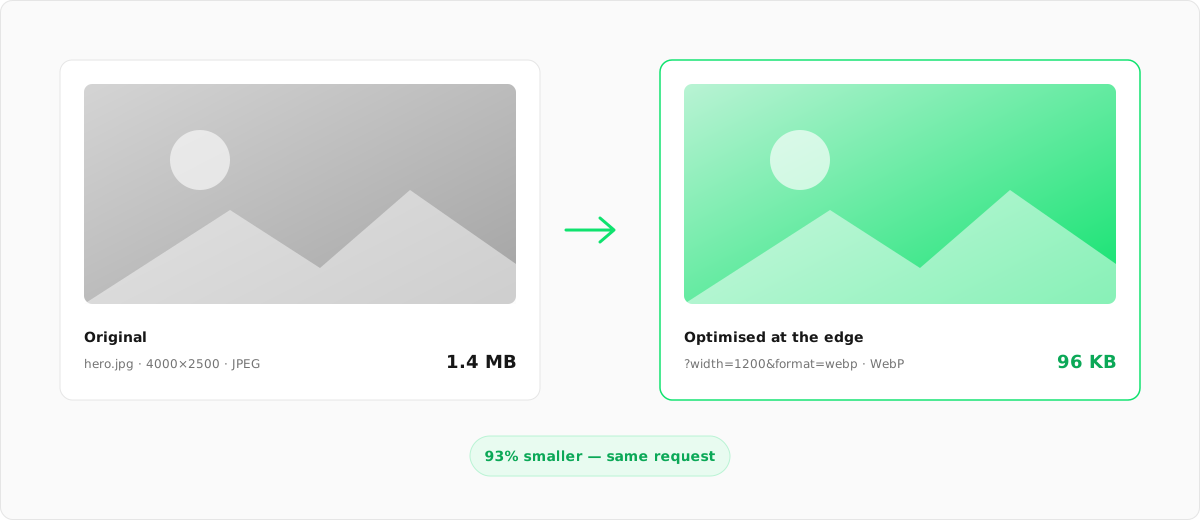
Transformation parameters#
Resize#
| Parameter | Description | Example |
|---|---|---|
width |
Target width in pixels | width=800 |
height |
Target height in pixels | height=600 |
fit |
How to fit: cover, contain, fill, inside, outside |
fit=cover |
Format conversion#
| Parameter | Description | Example |
|---|---|---|
format |
Output format: auto, webp, avif, jpeg, png |
format=webp |
Available formats
auto: automatically selects the best format based on browser support (AVIF → WebP → JPEG)avif: best compression, smallest files, supported by modern browserswebp: great compression with wide browser supportjpeg: universal compatibility, good for photospng: lossless, supports transparency
Quality#
| Parameter | Description | Example |
|---|---|---|
quality |
Compression quality 1–100 (default: 80) | quality=75 |
Effects#
| Parameter | Description | Example |
|---|---|---|
blur |
Gaussian blur amount (0.3–1000) | blur=10 |
sharpen |
Sharpen the image | sharpen=true |
grayscale |
Convert to greyscale | grayscale=true |
Low-quality image placeholders (LQIP)#
Generate tiny placeholder images for lazy loading. Show a blurred preview while the full image loads.
| Parameter | Description | Example |
|---|---|---|
lqip=1 |
Returns a tiny (~20px wide) blurred image | ?lqip=1 |
lqip=base64 |
Returns a base64-encoded data URL (embed directly in HTML) | ?lqip=base64 |
lqip=blurhash |
Returns a BlurHash string (4–5 bytes, decode client-side) | ?lqip=blurhash |
# Tiny blurred placeholder (raw image)
https://cdn.yoursite.com/hero.jpg?lqip=1

# Base64 data URL (embed in src attribute)
https://cdn.yoursite.com/hero.jpg?lqip=base64

# BlurHash (returns JSON with hash, width, height)
https://cdn.yoursite.com/hero.jpg?lqip=blurhash
# → {"blurhash": "LEHV6nWB2yk8pyo0adR*.7kCMdnj", "width": 4, "height": 3}
Animated GIF support#
Animated GIFs are processed with ImageMagick to preserve all animation frames. You can resize and convert animated GIFs without losing the animation.
| Operation | Supported | Notes |
|---|---|---|
| Resize | ✓ | All frames are resized, animation preserved |
| Convert to WebP | ✓ | Animated WebP output, often smaller than GIF |
| Convert to PNG | ✓ | Animated PNG (APNG) output |
| Quality adjustment | N/A | GIF is lossless, so the quality parameter is ignored for GIF output |
# Resize animated GIF to 400px wide
https://cdn.yoursite.com/animation.gif?width=400

# Convert animated GIF to WebP (smaller file, keeps animation)
https://cdn.yoursite.com/animation.gif?width=400&format=webp
Common use cases#
Responsive images#
Generate multiple sizes for srcset:
<img
  src="https://cdn.yoursite.com/hero.jpg?width=1200&format=webp"
  srcset="
    https://cdn.yoursite.com/hero.jpg?width=400&format=webp 400w,
    https://cdn.yoursite.com/hero.jpg?width=800&format=webp 800w,
    https://cdn.yoursite.com/hero.jpg?width=1200&format=webp 1200w
  "
  sizes="(max-width: 600px) 400px, (max-width: 1000px) 800px, 1200px"
/>
Thumbnail grid#
Create consistent thumbnails:
https://cdn.yoursite.com/product-1.jpg?width=300&height=300&fit=cover&format=webpBlur placeholder (LQIP)#
Generate a tiny blurred placeholder for lazy loading:
https://cdn.yoursite.com/hero.jpg?width=20&blur=10&quality=30Supported formats#
| Format | Support |
|---|---|
| JPEG | Input and output |
| PNG | Input and output |
| WebP | Input and output |
| AVIF | Input and output |
| GIF | Input only |
| SVG | Passed through |
Default settings#
Configure default image optimisation settings in the Configuration tab:
- Default format: set to
autoto serve AVIF/WebP/JPEG based on browser support - Default quality: set a global quality (1–100) applied when no URL parameter is specified
- Path rules: override quality/format for specific paths, such as thumbnails
Performance#
Image transformations happen at the edge and are cached after the first request:
- <100ms: first transformation
- <10ms: cached delivery
- ~70%: average size reduction
Next steps
Something unclear or out of date? Tell us