Getting started
Deploy your first CDN
This guide walks you through creating a CDN deployment and adding your first domain.
On this page8 sections
Prerequisites#
- An Edge Network account (sign up here)
- A domain or subdomain you want to serve through the CDN
- Access to your domain’s DNS settings
- An origin server where your content lives (S3, your web server, etc.)
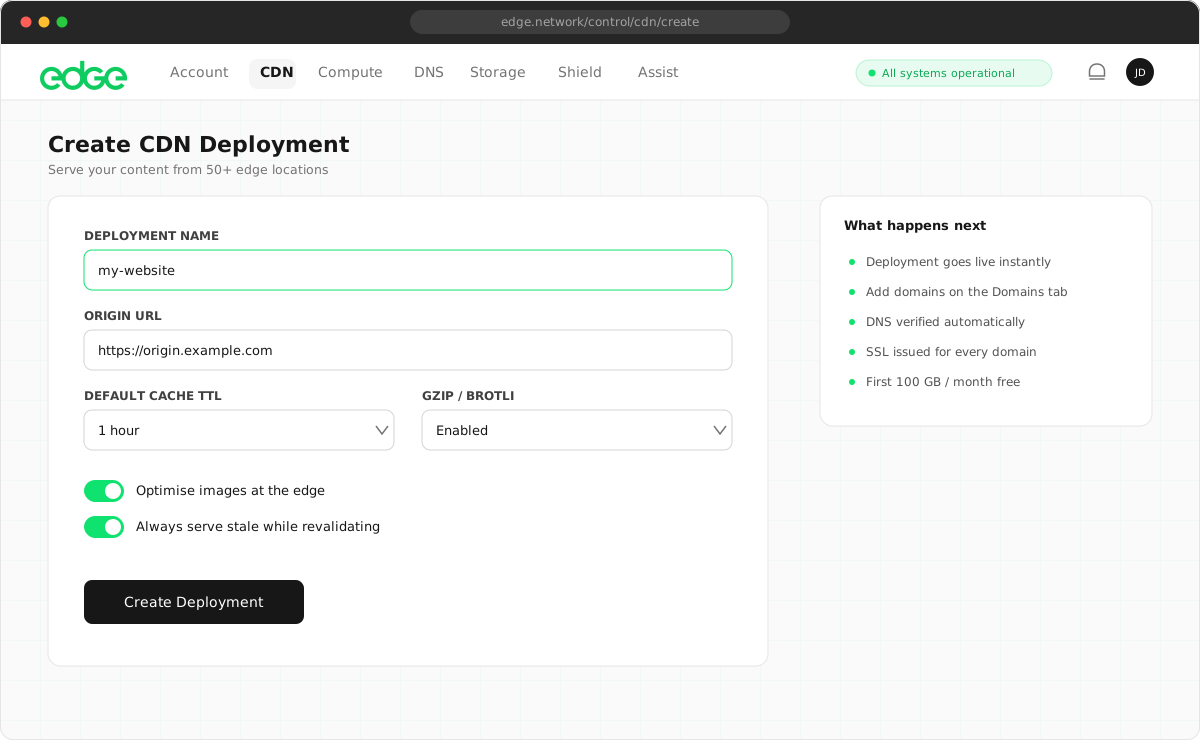
1. Create a CDN deployment#
A deployment is a container for your CDN domains. You might have one deployment per project or environment.
- Navigate to CDN in the sidebar.
- Click Deploy CDN.
- Enter a name for your deployment (e.g. “My Website” or “Production”).
- Click Create Deployment.
2. Add a domain#
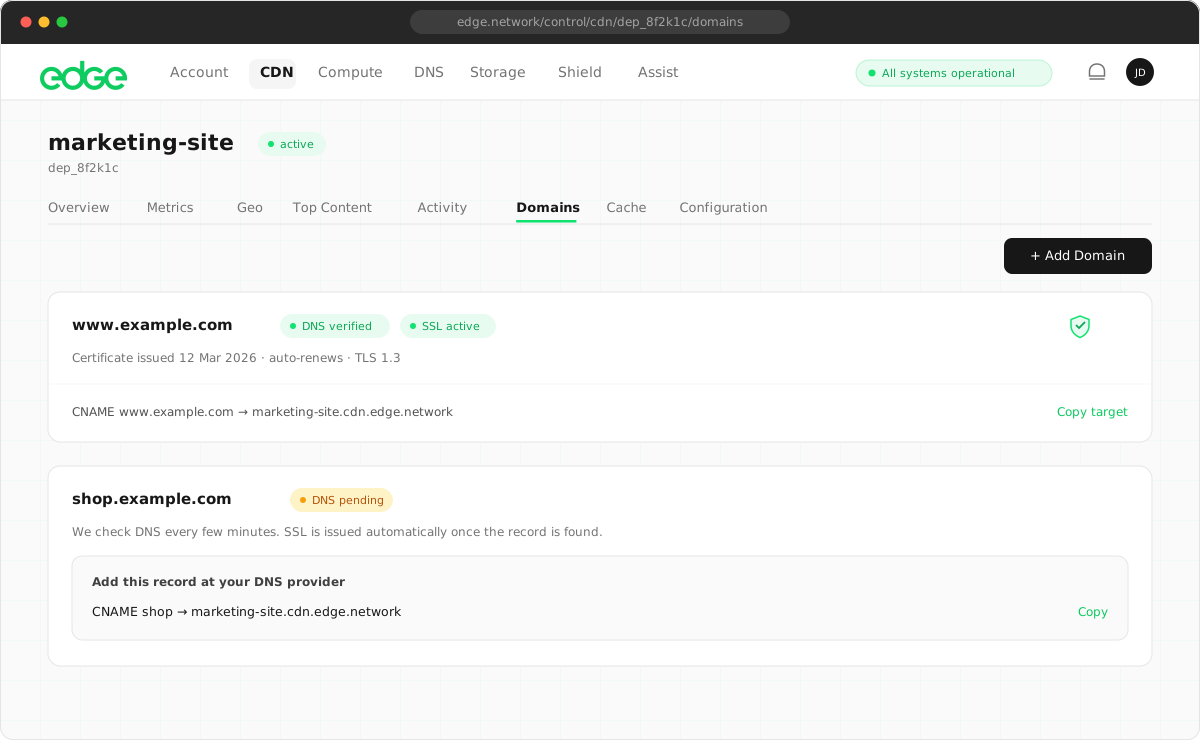
Now add the domain you want to serve through the CDN.
- Click Add Domain.
- Enter your domain (e.g.
cdn.yoursite.com). - Enter your origin URL (e.g.
https://origin.yoursite.comor an S3 bucket URL). - Click Add Domain.
3. Configure DNS#
Point your domain to Edge CDN by adding this CNAME record at your DNS provider:
| Type | Name/Host | Value/Target |
|---|---|---|
CNAME |
cdn |
cdn.edge.network |
Replace cdn with your subdomain. For a root domain, you may need to use your DNS provider’s CNAME flattening feature or an ALIAS record.
- Log in to your DNS provider (Cloudflare, Route53, etc.).
- Add a CNAME record pointing to
cdn.edge.network. - Wait for DNS propagation (usually 1–5 minutes).
- Click Check DNS in the Edge console.
4. Wait for the SSL certificate#
Once DNS is verified, we automatically issue a free SSL certificate for your domain using Let’s Encrypt. The domain’s SSL status changes from issuing to active.
Certificate issuance typically takes 30–60 seconds. The page updates automatically.
Host a static site#
You can serve a static website directly from an Edge Storage bucket through the CDN. Upload your files to a storage bucket, create a CDN deployment with Storage Bucket as the origin type, and add your domain. When using a storage bucket origin, the CDN automatically serves index.html for directory paths. For example, visiting example.com/ serves index.html from the bucket root. The result is fully static hosting with global CDN caching, automatic SSL and zero egress fees.
- Create a storage bucket.
- Upload your site files (
index.html, CSS, JS, images). - Create a CDN deployment.
- Add a domain with origin type Storage Bucket.
- Your site is live.
The agent API can do all of this in one call with POST /agent/deploy/static-site. See the Storage documentation for more on buckets.
Test your CDN#
Verify everything is working correctly:
# Check the response headers
curl -I https://cdn.yoursite.com/path/to/file.jpg

# Look for these headers:
# x-cache: HIT (served from cache)
# Server: Edge CDN (confirmation that Edge served the request)
Next steps
Something unclear or out of date? Tell us