Creating VMs
Creating virtual machines
Everything you need to know about deploying new VMs, from region selection to configuration options.
On this page6 sections
Choosing a region#
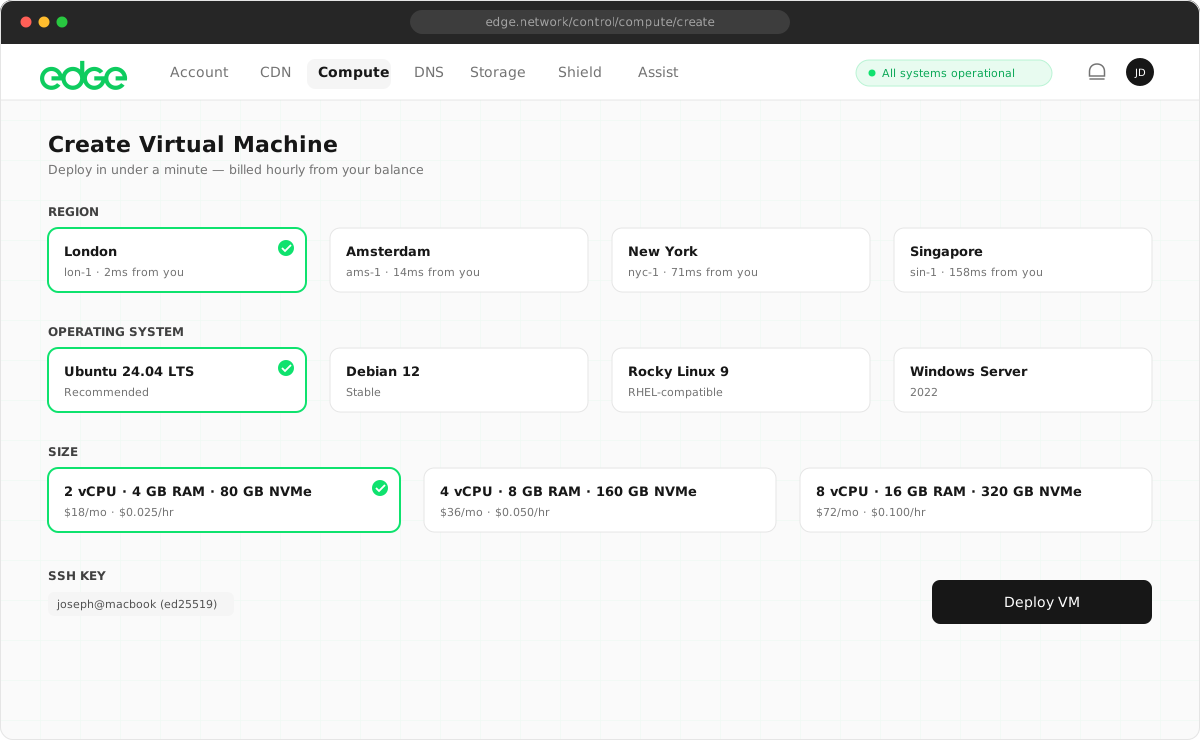
Edge currently offers VMs in two regions (Europe and USA), with many more coming soon. Choose the region closest to your users for the lowest latency.
- Europe: London, UK
- North America: Miami, FL
Operating systems#
Choose from a range of pre-configured operating system images. All images are optimised for Edge infrastructure and include cloud-init for automated provisioning.
| Operating system | Available versions |
|---|---|
| Ubuntu | 24.04 LTS, 22.04 LTS, 20.04 LTS |
| Debian | 12, 11, 10 |
| CentOS | Stream 9, Stream 8 |
| Alma Linux | 9, 8 |
| Rocky Linux | 9, 8 |
| Fedora | 39, 38 |
| FreeBSD | 14.0, 13.2 |
| Alpine Linux | 3.19, 3.18 |
VM configuration#
Configure your VM’s resources using the sliders. Each resource is priced individually and billed hourly from your prepaid balance.
vCPUs (1–32)#
Virtual CPU cores for your VM. More cores allow better parallel processing and handling of concurrent requests.
- 1–2 vCPUs: small applications, development, low-traffic websites
- 4–8 vCPUs: production workloads, databases, medium traffic
- 16–32 vCPUs: high-performance applications, data processing
Memory (1–64 GB)#
RAM available to your VM. Important for applications that cache data in memory.
- 1–2 GB: minimal applications, static sites
- 4–8 GB: most web applications, small databases
- 16–64 GB: large databases, caching servers, in-memory processing
NVMe storage (10 GB – 2 TB)#
High-performance NVMe SSD storage. All storage is provisioned on fast NVMe drives.
- 25–50 GB: small applications, containers
- 100–250 GB: databases, file storage
- 500 GB – 2 TB: large datasets, media storage
SSH key selection#
Select one or more SSH keys to enable access to your VM. You must add SSH keys to your account before creating a VM.
No SSH keys yet? Add SSH keys in Resources → SSH Keys before creating a VM. Learn more about SSH keys.
Advanced options#
Hostname#
The hostname identifies your VM in the console and sets the system hostname. Use lowercase letters, numbers and hyphens, for example web-server-1, api-prod or database-eu.
Tags (coming soon)#
Organise your VMs with custom tags for easier filtering and management.
User data (coming soon)#
Pass cloud-init scripts or configuration to automate VM setup on first boot.
Next steps
Something unclear or out of date? Tell us