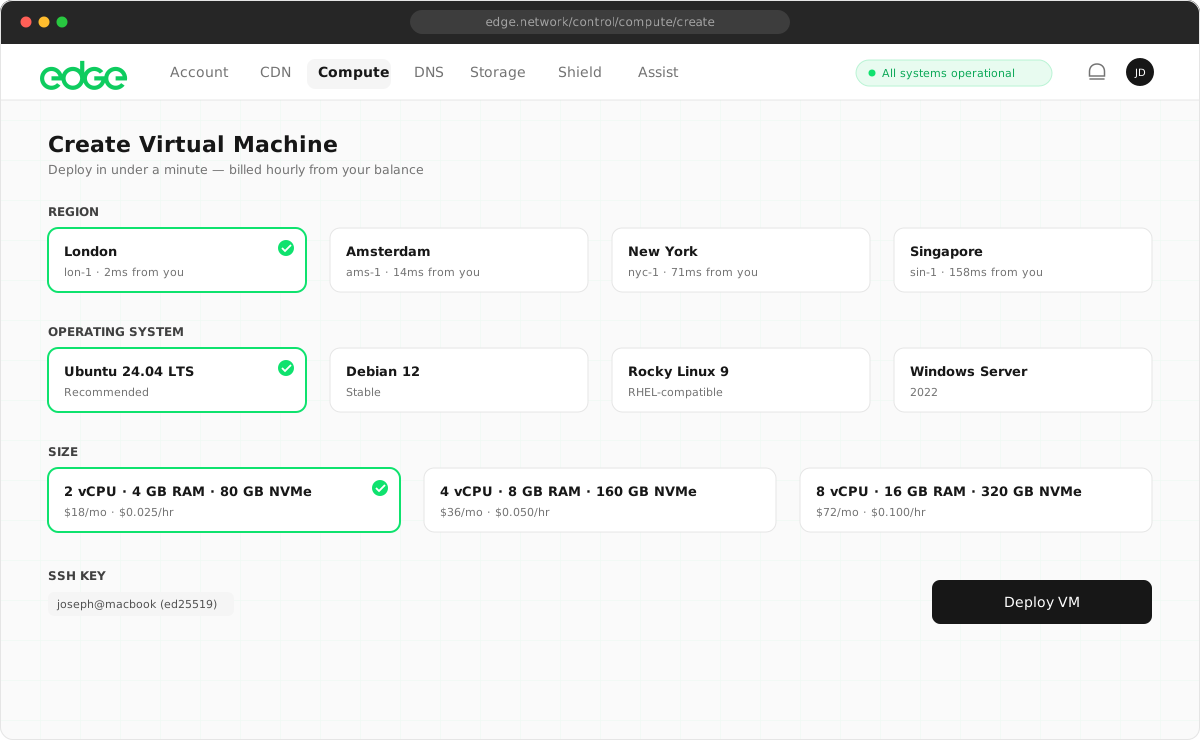
1. Create a VM#
Create a VM via the console or CLI. Choose ubuntu-24.04 and a plan with at least 2 vCPU / 4 GB RAM for Node.js production workloads. Smaller plans may run simple apps but can struggle under load.
edge compute create --image ubuntu-24.04 --plan standard-2Note the VM’s public IP. SSH in with the provided key.
2. Install Node.js#
Install Node.js via nvm (recommended for version management) or apt:
curl -o- https://raw.githubusercontent.com/nvm-sh/nvm/v0.40.1/install.sh | bash
source ~/.bashrc
nvm install 20
nvm use 20curl -fsSL https://deb.nodesource.com/setup_20.x | sudo -E bash -
sudo apt-get install -y nodejs3. Clone your repo and install dependencies#
Clone your repository or upload your code (e.g. via scp), then install dependencies:
git clone https://github.com/you/your-app.git
cd your-app
npm install --production
4. Set up PM2 for process management#
Install PM2 globally and start your app. PM2 keeps it running, restarts on crash, and handles logs.
sudo npm install -g pm2
pm2 start server.js --name "my-app"
If your entry point is different (e.g. index.js or npm start), adjust accordingly. Enable startup on boot:
pm2 startup
pm2 save
5. Configure Nginx as a reverse proxy#
Install Nginx and add a reverse proxy config. Your Node app likely runs on port 3000; Nginx listens on 80 and forwards:
sudo apt install -y nginx
sudo nano /etc/nginx/sites-available/default
Replace the default server block with:
server {
    listen 80;
    server_name your-domain.com;
    location / {
        proxy_pass http://127.0.0.1:3000;
        proxy_http_version 1.1;
        proxy_set_header Upgrade $http_upgrade;
        proxy_set_header Connection 'upgrade';
        proxy_set_header Host $host;
        proxy_set_header X-Real-IP $remote_addr;
        proxy_set_header X-Forwarded-For $proxy_add_x_forwarded_for;
        proxy_set_header X-Forwarded-Proto $scheme;
    }
}
Enable and reload Nginx:
sudo ln -sf /etc/nginx/sites-available/default /etc/nginx/sites-enabled/
sudo nginx -t && sudo systemctl reload nginx
6. Set up Edge CDN and DNS#
Create an Edge CDN deployment with your VM’s IP as origin. Add your domain; Edge handles SSL. Point your domain via Edge DNS to the CDN endpoint. Users hit the CDN, which caches static assets and forwards dynamic requests to your VM.
7. Firewall and monitoring#
Firewall: Allow only ports 80 and 443 if traffic goes through the CDN, or restrict SSH to your IP. Edge VMs may include default firewall rules; verify in the console.
Monitoring: Use Edge metrics to watch VM CPU, memory, and network. Set up alerts for high utilisation. PM2 provides process-level monitoring: pm2 monit for a live dashboard.
Keep learning
Getting started4 min read
First deployment
You've got an account and the CLI installed. Now let's deploy something real. Pick your product and follow along.
Security5 min read
Security hardening
Step-by-step practices to harden your Edge infrastructure: authentication, firewalls, API security and agent access control.
Tutorials3 min read
VM configuration
Set up and manage Edge Compute virtual machines. Choose your OS and size, create VMs, connect via SSH, add firewall rules, resize instances, and manage backups and snapshots.